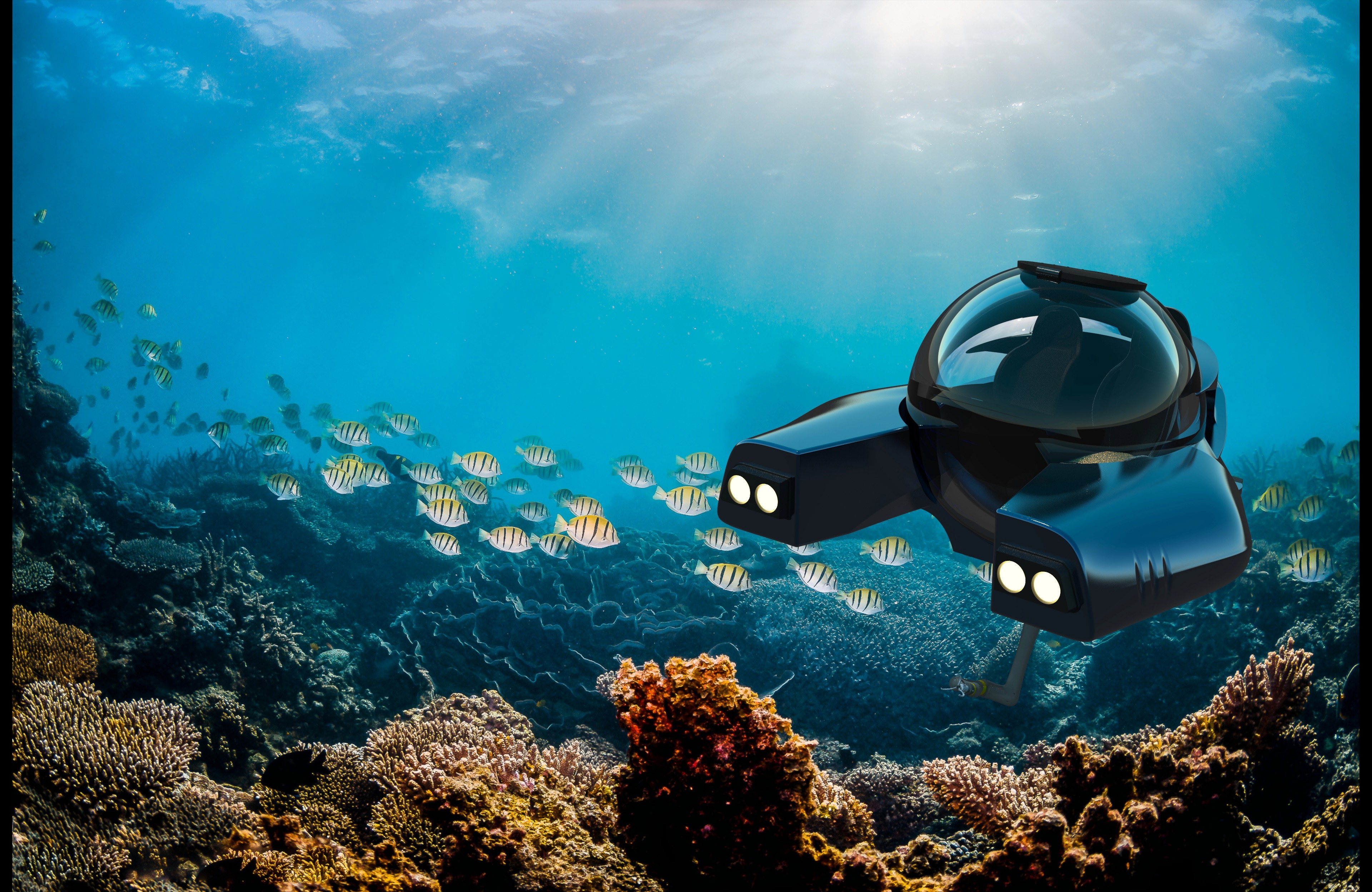
Aqua-Gen 1075
📌 Dark mode recommended
A deep sea sample collecting submersible. I designed a working digital dashboard for a submarine simulator with an AI-forward workflow.
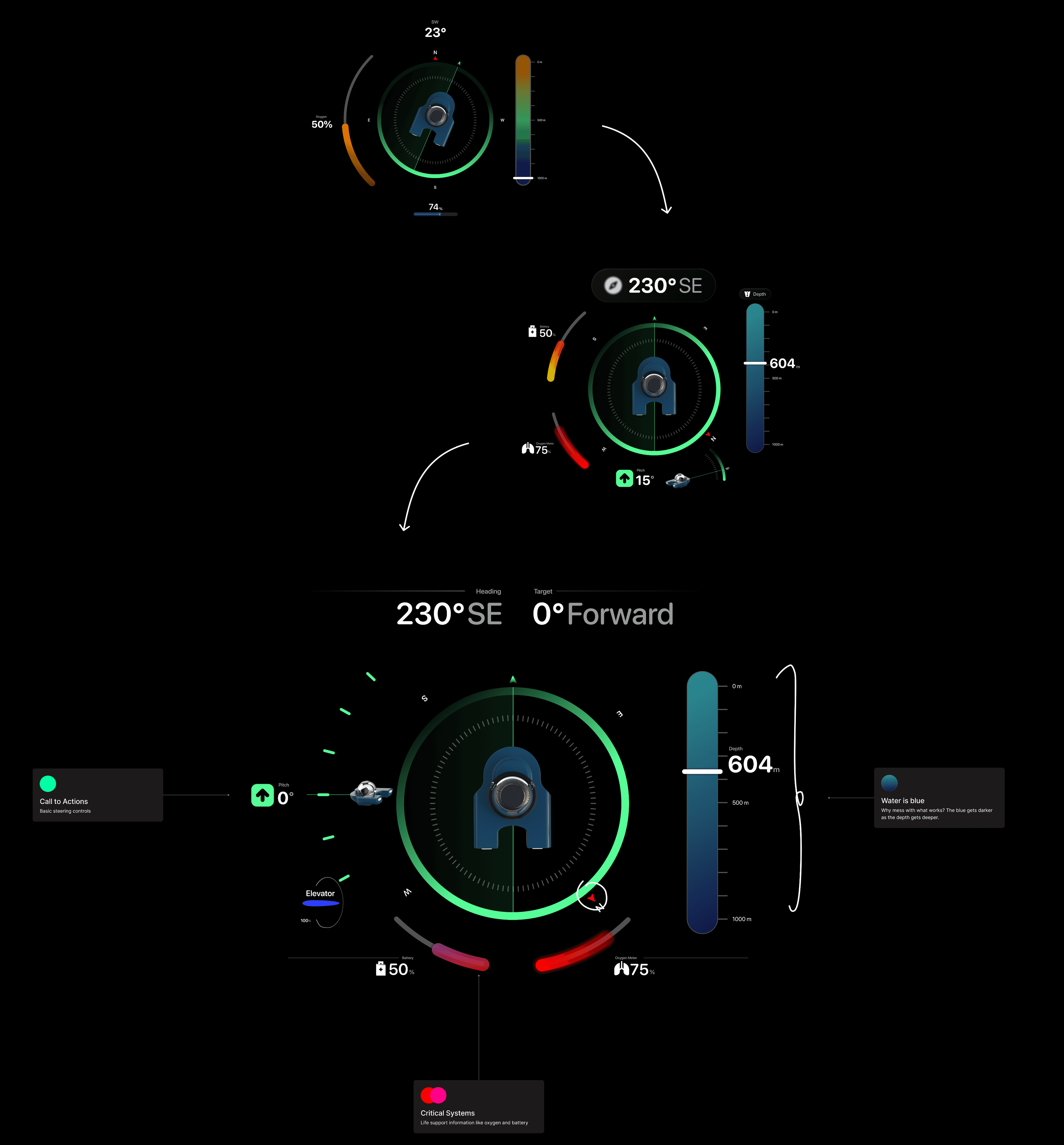
The digital dashboard for the submarine needed to communicate the status of the controls and the status of the actual submarine. Essential controls include compass, speed, pitch, depth, battery and oxygen.
ROLE
UX/UI Designer
RESULTS
Fully responsive digital dashboard connected to steering controls.
Coded UI components that respond to wired controller's inputs



Exploring under the Bering Sea
The limitations of an ice cover are the reasons submarines can detect better data than ships. In shallow seas, ships would provide better radar data. In the Bering Sea, this sub can handle under the ice water sampling, and mapping fish and zooplankton via radar. The data is necessary to refine ecosystem models to predict its reaction to climate change.
Exploring hydrothermal systems of underwater volcanoes
Ships can only collect broad data. Submarines and divers are the only methods of physical sample collection. This sub can capture deep sea water temperature and salinity, and microorganism collection.
Establishing a design system.

Rounded forms
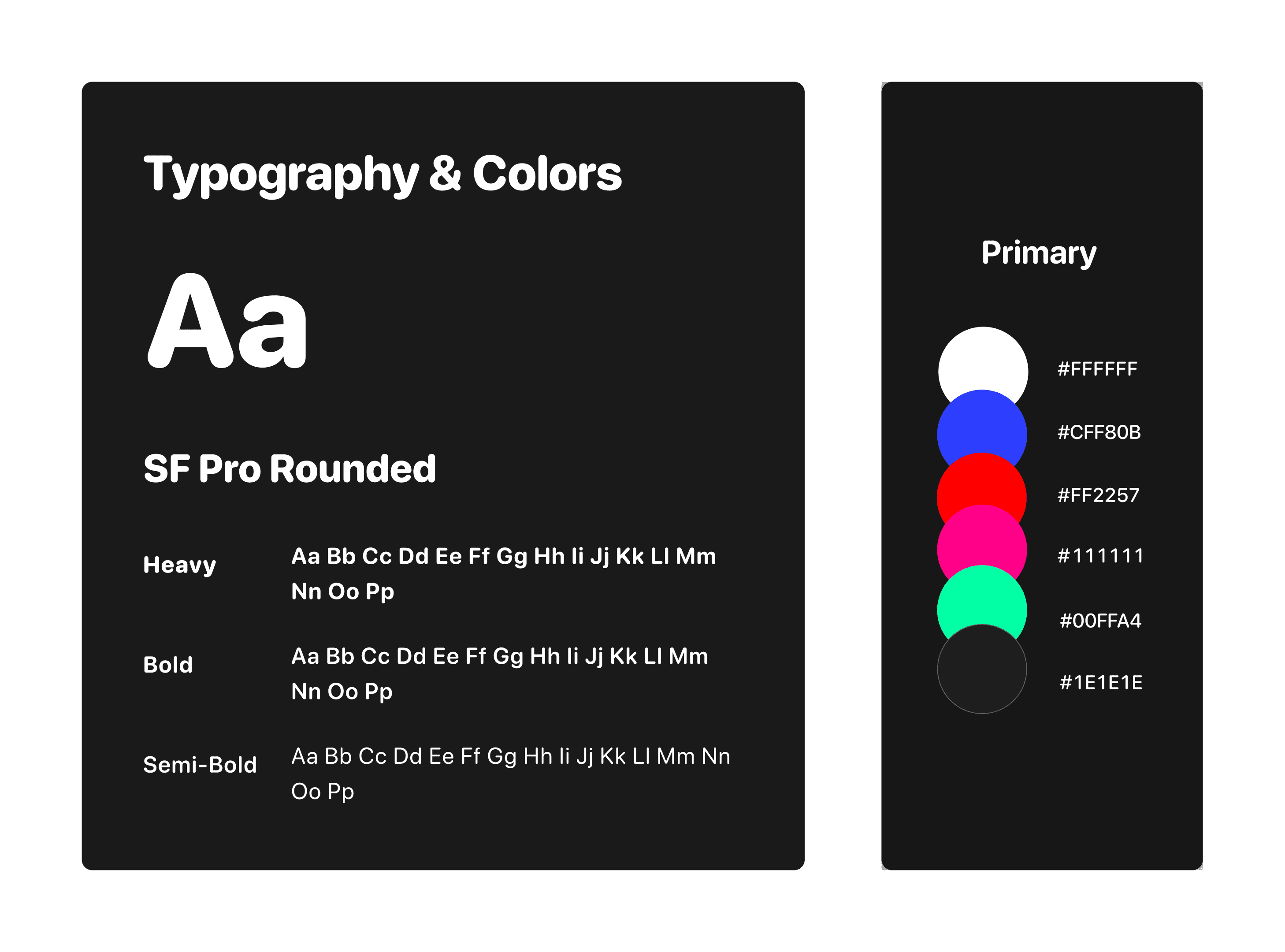
To build a cohesive design language, typefaces are round and bold, mimicking the ergonomic forms of the joystick and submarine hull.
Cluster Hierarchies
System layout is divided based on what each passenger will need to know. For example, passenger on the right that operates the sample arm will see the arm camera.
Call to actions
Green is used for call to actions on the drivers side of the dashboard, such as compass, and pitch.
Dead ends
Red and pink are used to communicate for critical sytems such as oxygen levels, and battery levels.
Determining dashboard shape
Instructions
Asked users if they preferred a front-situated dashboard, or one that includes a screen that extends to between the seats.


ℹ️
3/4 of users preferred the dashboard that extended between the seats.
❗️
Dashboard without center panel doesn't have enough room for driver controls, robot arm camera and cabin controls. Wider dashboard would have too much separation between camera screen and driver controls.
✅
Narrower dashboard with center screen is ideal.
Accessibility
Submarine simulator test
Instructions
Users were asked to drive a submarine simulator with a working full scale prototype of the control panel and digital dashboard.

Target
Joystick
Idle, Forward, F-Right, Right, F-Left, Left, Backward
UI
Displays the status of the joystick
Speed
Speed Dial and Joystick
Change max speed and push joystick forward to accelerate
UI
Smaller text displays max speed and bigger text displays actual speed
Compass and Heading
Joystick
Changes direction.
UI
On the compass, the UI shows cardinal direction in relation to North, and exact heading
Elevator, Pitch and Depth
Up and Down Buttons
Changes elevator which affects pitch
UI
When elevator is neutral, it’s blue, when up it’s green, when down it’s red. Pitch changes angle based on position of the sub.
"I'd rather see a scrappy prototype and an insight than a finished model that's never been used."
Disorganization kills
When we wired and soldered our microbit, we took 5 times longer to troubleshoot because our wires weren't labeled. Next time we ran into a problem, those labels saved us.
10 Problems = 10 Solutions
The more iterations a project goes through, the more complete it feels on launch.